
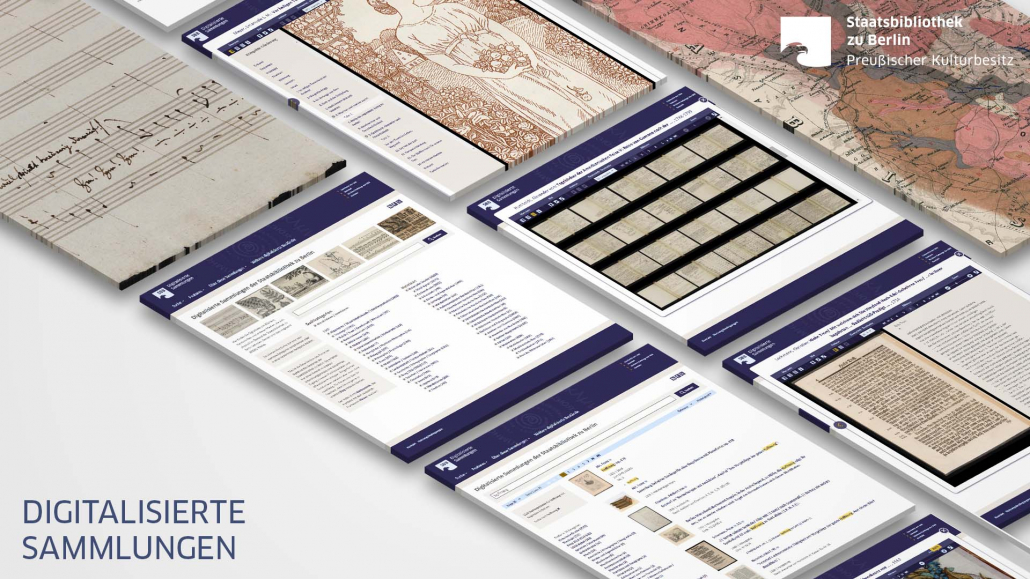
OAI and IIIF APIs of the Digitised Collections
Introduction
Probably you know our Digitised Collections where currently (November 2020) roughly 175,000 digitized objects from the archives of the SBB present online? With a variety of features (for features that are in the current development process have a look at the Beta-Version of the digitized collections) we hope that it is easy and efficient for you to search and browse our digitized objects.
But if you want to get these data to process it or integrate it in your application? For this purpose we provide different technical interfaces (APIs).
Interfaces
Currently the Digitised Collections provide two interfaces, OAI-PMH und iiif.
1. OAI-PMH – https://oai.sbb.berlin
Retrieval of metadata for objects in the digitised collections is established by use of the The Open Archives Initiative Protocol for Metadata Harvesting (OAI-PMH) standard. A wide range of client applications for OAI-PMH in numerous programming languages are freely available on the web.
The base URL for the OAI-PMH endpoint of the digitised collections of the SBB is
https://oai.sbb.berlin/
Using the 6 verbs provided by OAI-PMH, requests such as the following can be generated
- “Which metadata formats are supported by the API?”
https://oai.sbb.berlin/?verb=ListMetadataFormats - “What digital collections do exist?”
https://oai.sbb.berlin/?verb=ListSets
The SBB implements DublinCore (DC) for basic bibliographic metadata and METS for all metadata about the contents and structure of a digital object.
By combination of OAI-PMH verbs and the DC-Metadata, more specific requests can be formulated such as
- “What digitised incunabulas do exist?”
https://oai.sbb.berlin/?verb=ListIdentifiers&metadataPrefix=oai_dc&set=inkunabeln
The response contains a unique identifier for each digital oject, the PPN, e.g. oai:digital.staatsbibliothek-berlin.de:PPN867445300. Using the PPN, additional information about a digital object can be retrieved
https://oai.sbb.berlin/?verb=GetRecord&metadataPrefix=oai_dc&identifier=oai%3Adigital.staatsbibliothek-berlin.de%3APPN867445300
By changing the metadata-prefix to mets, the complete METS metadata record containing all references to any related files (images, OCR) can be retrieved
https://oai.sbb.berlin/?verb=GetRecord&metadataPrefix=mets&identifier=oai%3Adigital.staatsbibliothek-berlin.de%3APPN867445300
The METS file contains a section <fileSec> which holds child elements of the type <fileGrp> which contain references to various files that belong to the digital object, typically images in either JPG or PNG format.
https://content.staatsbibliothek-berlin.de/dc/PPN867445300-00000001/full/full/0/default.jpg

https://content.staatsbibliothek-berlin.de/dc/PPN867445300-00000001/full/full/0/default.png

https://content.staatsbibliothek-berlin.de/dc/PPN867445300-00000001/full/full/0/default.tif
All METS files can be retrieved via the OAI-PMH with the following query:
https://oai.sbb.berlin/?verb=ListIdentifiers&metadataPrefix=mets&set=all
At the bottom of the first page there is a resumption token with the token for the second page in its text node; this has to be specified in the follow-up request and then the second page is obtained, i.e.:
https://oai.sbb.berlin/?verb=ListRecords&resumptionToken=metadataPrefix%3Dmets%26set%3Dall%26cursor%3D10%26batch_size%3D11
followed by
https://oai.sbb.berlin/?verb=ListRecords&resumptionToken=metadataPrefix%3Dmets%26set%3Dall%26batch_size%3D11%26cursor%3D20
and so forth.
2. IIIF
Retrieval of content (images and full-text) the digitised collections is supported via the International Image Interoperability Framework (IIIF) protocol. Also here a growing number of free clients and libraries for IIIF in numerous programming languages are available on the web.
Currently, digitised images, metadata and fulltext data can be retrieved by requests following this schema:
https://content.staatsbibliothek-berlin.de/dc/{PPN}-{Page}
The PPN is an unique ID for every work that can be found in the digitised collections.
To get scanned images for a specific object further parameters, following the IIIF protocol have to provided in the URL:
/full/{width in pixel},/0/default.jpg; width in pixel automatically scales the image height, e.g.:
https://content.staatsbibliothek-berlin.de/dc/PPN867445300-00000001/full/1200,/0/default.jpg
https://content.staatsbibliothek-berlin.de/dc/PPN867445300-00000001/full/800,/0/default.jpg
https://content.staatsbibliothek-berlin.de/dc/PPN867445300-00000001/full/250,/0/default.jpg
The IIIF protocol permits more image manipulations via URL, e.g. cutting, resizing and rotating the image. In the following example contains an image detail, sized 300 x 300 px, rotated by 90°.
https://content.staatsbibliothek-berlin.de/dc/PPN867445300-00000001/100,100,300,300/full/90/default.png
Furtermore its possible to get the orinial TIFF image. Just change the default.jpg to default.tif in the URL:
https://content.staatsbibliothek-berlin.de/dc/PPN867445300-00000001/full/full/0/default.tif
For even more possibilties of manipulation of singe images have a closer look to the IIIF Image API 2.1.1 thats implemented by the content server.
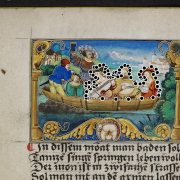
Additionally the content server can deliver more data for specific works. An overview of the addional functions can be found in the NGCS routes documentation. This includes, for example, dynamic highlighting on the pictures. The highlighted areas are defined in the same way as sections of the image. As a further parameter a color can be specified as a hex code: https://content.staatsbibliothek-berlin.de/dc/PPN646236717-00000011/full/1200,/0/default.jpg?highlight=55,100,120,100|1150,460,110,80&highlightColor=ff0000
As specified in the IIIF Presentation API the IIIF manifest file of the object can be retrieved with the URL:
https://content.staatsbibliothek-berlin.de/dc/PPN867445300/manifest
This manifest can be loaded in every IIIF viewer, e.g. in the Mirador viewer, hosted by the SBB:
https://mirador.staatsbibliothek-berlin.de/?manifest=https://content.staatsbibliothek-berlin.de/dc/PPN897443810/manifest&manifest=https://content.staatsbibliothek-berlin.de/PPN876457189/manifestNext to the manifest the metadata can als be retrieved in the METS/MODS format:
https://content.staatsbibliothek-berlin.de/dc/PPN867445300.mets.xml
Fulltexts
With adding the page number to the URL and the suffix ocr.xml the OCR file in ALTO format per page will delivered:
https://content.staatsbibliothek-berlin.de/dc/PPN867445300-0009.ocr.xml for page 9,
https://content.staatsbibliothek-berlin.de/dc/PPN867445300-0010.ocr.xml for page 10 etc.
The OCR files also can loaded completely packed in a ZIP file.
https://content.staatsbibliothek-berlin.de/dc/PPN867445300.ocr.zip
Conditions of Use
SBB pursues an Open Data Policy and endeavours to make all digitised works published before 1920 available to the public under a Public Domain Mark 1.0 licence. In exceptional cases and for works published later than 1920, different licences may be used.
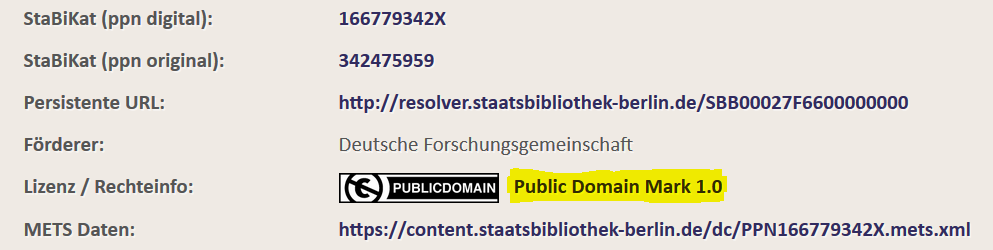
You can recognize the valid license for an object in the Digitized Collections if you display the complete bibliographic information about the object.
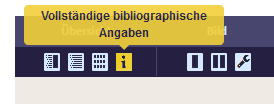
and there scroll down to the point license / rights info
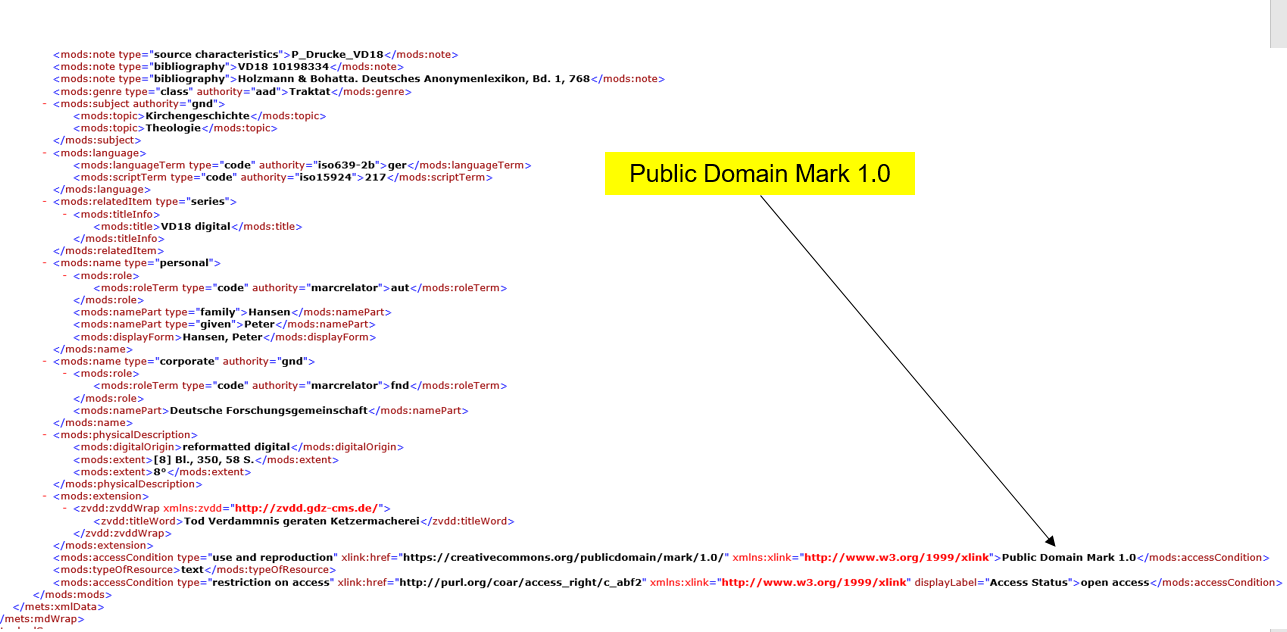
Of course, you can also find this information in the metadata in METS format under <mods:accessCondition>
Special data sets
For the Hackathon Coding Gender: Women In Cultural Data, which took place at the end of August 2019, thematic datasets were provided, which are described and listed here.






Leave a Reply
Want to join the discussion?Feel free to contribute!